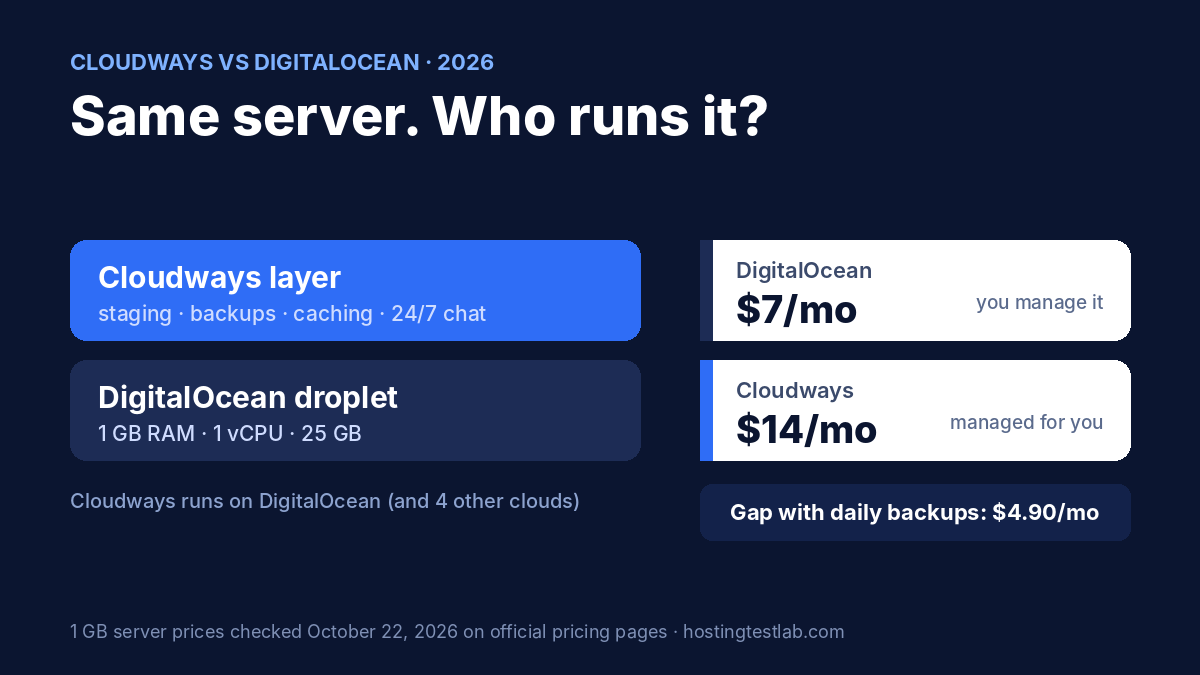
Cloudways vs DigitalOcean is not a choice between two kinds of servers: Cloudways sells managed hosting on top of DigitalOcean’s own servers, so the real question is whether you pay DigitalOcean directly and run the server yourself, or pay Cloudways to run it for you. A 1 GB DigitalOcean Premium AMD droplet costs $7 a month; the same size through Cloudways costs $14. Choose DigitalOcean if you are comfortable updating, securing and backing up a Linux server yourself. Choose Cloudways if you want staging, backups, caching and 24/7 chat support handled for you, and the extra $7 to $43 a month is cheaper than your time.
Prices, server specs, billing and support terms were checked on October 22, 2026 on the official pricing pages of DigitalOcean (droplets and support plans) and Cloudways, read in a browser, and in DigitalOcean’s WordPress 1-Click App documentation. Speed and uptime figures come from the independent tests named in the performance table below.
Cloudways vs DigitalOcean: quick verdict
| Question | Cloudways | DigitalOcean |
|---|---|---|
| 1 GB server price | $14/mo | $7/mo (Premium AMD) |
| Who runs the server | Cloudways | You |
| Backups | Automated, included | Extra: 20% weekly or 30% daily |
| Staging | Included | Not built in |
| Free support | 24/7 live chat and tickets | Email, under 24 hours |
| Best for | Site owners who want no server work | Developers who want the lowest bill |
Pricing and the real cost
Both bill monthly with nothing prepaid and no renewal increase. Cloudways lists DigitalOcean as one of five cloud providers it runs on, next to Vultr, Linode, AWS and Google Cloud. Its DigitalOcean Premium servers match DigitalOcean’s own droplets size for size in RAM, vCPU and disk space, so the table compares them with both of DigitalOcean’s Basic options: Premium AMD, the closest tier match, and Regular, the cheapest. On Cloudways itself, the Cloudways Standard vs Premium guide compares its two DigitalOcean server types.
| Size | Cloudways DO Premium | DigitalOcean Premium AMD | DigitalOcean Regular | Source |
|---|---|---|---|---|
| 1 GB RAM, 1 vCPU, 25 GB disk | $14/mo | $7/mo | $6/mo | Official |
| 2 GB RAM, 1 vCPU, 50 GB disk | $28/mo | $14/mo | $12/mo | Official |
| 4 GB RAM, 2 vCPU, 80 GB disk | $54/mo | $28/mo | $24/mo | Official |
| 8 GB RAM, 4 vCPU, 160 GB disk | $99/mo | $56/mo | $48/mo | Official |
Cloudways roughly doubles the Premium AMD price at every size. Against Regular droplets, the gap is wider still: $8 a month at 1 GB and $51 at 8 GB. The rest of this comparison uses Premium AMD, the matching tier, so the gap shown is the smaller, fairer one.
The four-year cost
Assumptions: 48 monthly payments at today’s prices; the DigitalOcean column with backups adds its 30% daily-backup option, since Cloudways includes automated backups; Cloudways’ off-site backup storage at $0.033 per GB and any paid support are excluded. The per-site column assumes 5 small sites on one server, which both allow.
| Setup (4 GB server) | Four-year total | Average per month | Per site, 5 sites |
|---|---|---|---|
| DigitalOcean droplet only | $1,344.00 | $28.00 | $268.80 |
| DigitalOcean + daily backups | $1,747.20 | $36.40 | $349.44 |
| Cloudways DO Premium | $2,592.00 | $54.00 | $518.40 |
On a 1 GB server, the same math gives $336 for DigitalOcean alone, $436.80 with daily backups and $672 for Cloudways. So the real gap, once backups are counted on both sides, is $4.90 a month at 1 GB and $17.60 a month at 4 GB. That is what Cloudways charges for running the server, staging, caching and 24/7 chat support. Neither asks for money upfront: DigitalOcean invoices on the first day of each month for the previous month’s usage and has billed droplets per second since January 1, 2026, while Cloudways invoices in the first week of the month and lists hourly rates, such as $0.0208 an hour for its 1 GB server.
What you get for the money
Server management
This is the whole difference. DigitalOcean’s WordPress 1-Click App installs Ubuntu 24.04, PHP 8.3, MySQL 8.0, the Caddy web server and WordPress, with a UFW firewall and Fail2Ban, and Caddy renews free SSL certificates automatically. After that, DigitalOcean’s own documentation hands the work to you: keep WordPress, themes and plugins updated, set up backups, change the default admin username and add security plugins, and point your domain before running its setup script. Cloudways runs every server on its Lightning Stack with Redis and a built-in firewall, and manages the server layer for you. If you have never used a Linux command line, that alone decides it.
Backups
Cloudways lists automated backups as part of every plan, with off-site storage billed at $0.033 per GB. DigitalOcean sells backups as an add-on: 20% of the droplet price for weekly backups or 30% for daily, or usage-based plans from $0.01 per GiB a month with backups as often as every 4 hours. Daily backups on a $28 droplet add $8.40 a month, which closes about a third of the price gap.
Staging and caching
Every Cloudways plan includes free staging, so you can test a plugin update on a copy and push it live with one click, and vertical scaling to resize a server. Object Cache Pro, which Cloudways values at $95 a month, is free on servers of 4 GB and above. A DigitalOcean droplet has none of this built in; you would set up staging and object caching yourself.
Migration and trial
Cloudways migrates your first website for free and offers a 3-day trial with no credit card, but no money-back guarantee. Our Cloudways free trial guide shows how to use those 3 days. On DigitalOcean, you move the site yourself.
What running a DigitalOcean droplet yourself involves
Based on DigitalOcean’s own WordPress 1-Click documentation, these are the jobs that move from Cloudways to you when you go direct:
- Domain setup: point your domain’s DNS to the droplet, then log in to the server and run the domain setup script before WordPress answers on your address.
- Updates: update WordPress core, themes and plugins yourself, for example with the WP-CLI command the documentation lists.
- Backups: switch on DigitalOcean’s paid backups or install a backup plugin; nothing is backed up by default.
- Security: change the default admin username, use strong passwords and add a security plugin; the firewall and Fail2Ban are the only protections preinstalled.
- Databases: if you add a Managed Database, add the droplet’s IP to its trusted sources yourself.
None of these is hard for a developer, and each takes minutes once you know the steps. For someone who has only used cPanel or a hosting dashboard, they are the reason Cloudways exists. If shared hosting is your starting point, our shared vs VPS hosting guide explains what changes when you move to your own server.
Speed, uptime and support
Because a Cloudways DigitalOcean server runs on DigitalOcean hardware, speed differences come from the software stack and its setup, not the data center.
| Source (period, method) | Setup tested | Uptime | Speed |
|---|---|---|---|
| Gizmodo (3 months, Pingdom and Loader; GTmetrix from Vancouver) | Cloudways, DigitalOcean $14 server | 99.98%, two outages under 5 minutes in total | 322 ms average response; 331 ms TTFB |
| BloggersPassion (last 6 months, page updated February 2026) | Cloudways, DigitalOcean Premium 1 GB | 99.994%, about 16 minutes down | 200 ms TTFB from the US |
| SpeedVitals (benchmark first published 2021, uncached WordPress via the 1-Click Installer, San Francisco) | Plain DigitalOcean Premium AMD 1 GB droplet | Not measured | 80 ms TTFB on a fresh install; 185 ms with 10 plugins |
The tests use different sites, tools and years, so they do not name a winner. The pattern is that both setups are fast on the same hardware: a bare droplet can respond very quickly when it carries little, and Cloudways adds caching that matters more as a site grows.
Support is a clearer difference. Cloudways includes 24/7 support by live chat and tickets on every plan. DigitalOcean’s free Starter support is email only, with a response target under 24 hours; Developer support costs $24 a month for under 8 hours, Standard $99 a month for under 2 hours with live chat, and Premium $999 a month for under 30 minutes. Adding even the $24 Developer plan to a 1 GB droplet makes DigitalOcean more expensive than Cloudways.
Who should pick which
- A blogger or affiliate site owner who has never managed a server: Cloudways. The real extra cost is $4.90 a month on a 1 GB server once backups are counted, and you skip every server task.
- A developer running several projects: DigitalOcean. At 8 GB, the droplet saves $43 a month, or $2,064 over four years, if you handle updates and backups yourself.
- A store or business site that cannot break: Cloudways, for staging and 24/7 chat on every plan, which on DigitalOcean would mean the $99 Standard support plan.
- An agency with client sites: Cloudways, since staging and free Object Cache Pro from 4 GB come with the server. Our guide to the best hosting for agencies covers team features.
- Someone learning Linux on a side project: DigitalOcean, from $7 a month, with per-second billing that makes testing cheap.
What would change this: if you already pay for DigitalOcean’s Standard support for other reasons, its droplets become the better value at every size.
Final recommendation
In Cloudways vs DigitalOcean, most site owners should choose Cloudways: once backups are counted on both sides, it costs $4.90 to $17.60 a month more on the 1 to 4 GB servers, and that buys server management, staging, caching and 24/7 chat support. Choose DigitalOcean directly if you can run a Linux server and want the lowest bill. Our Cloudways review covers the platform in full.
Cloudways vs DigitalOcean FAQ
Is Cloudways just DigitalOcean with a markup?
Partly. On its DigitalOcean servers, Cloudways charges about double the droplet price, $14 against $7 at 1 GB, and adds a managed stack, included backups, staging and 24/7 support. You can also choose Vultr, Linode, AWS or Google Cloud underneath instead.
Is DigitalOcean good for WordPress beginners?
Only with some Linux comfort. The 1-Click App sets up WordPress and free SSL, but DigitalOcean’s documentation leaves updates, backups and security hardening to you, and pointing a custom domain requires running a setup script on the server.
Which is cheaper for a small site?
DigitalOcean, at $7 a month for a 1 GB Premium AMD droplet, or $6 for a Regular one. With daily backups the Premium droplet costs $9.10, still below Cloudways’ $14. Our Cloudways pricing guide lists every Cloudways add-on.
Can I switch from DigitalOcean to Cloudways later?
Yes. Cloudways migrates your first website for free, so a site that outgrows your time on a self-managed droplet can move without paying for the transfer.
Which is cheaper for a server I only need for a few days?
DigitalOcean, by a small margin. It bills droplets per second with a minimum charge of 60 seconds or $0.01, whichever is higher, so a 1 GB Premium AMD droplet run for three days costs about $0.75. Cloudways lists $0.0208 an hour for its 1 GB server, or about $1.50 for the same three days, although its 3-day free trial covers a first test at no cost. If neither fits, our list of Cloudways alternatives covers other managed options.