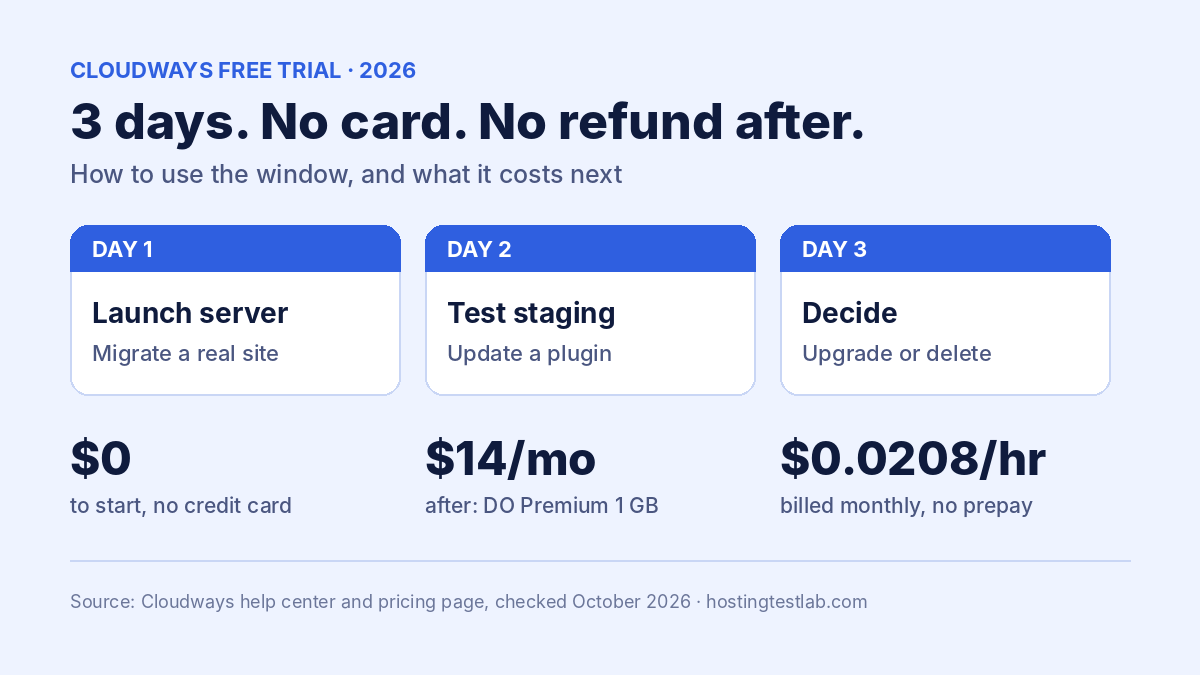
Yes, Cloudways has a free trial: 3 days, with no credit card needed to start. The clock starts when you create your trial server, and in that time you can launch a server, install WordPress and migrate an existing site. After that you add a card and pay monthly, from $14 a month for a DigitalOcean Premium 1 GB server. Because Cloudways offers no money-back guarantee, those 3 days are your only risk-free window, so plan them before you sign up.
Trial terms were checked on October 21, 2026 in Cloudways’ help center articles on getting started, the flexible trial, upgrading from the trial and server size limits. Server prices come from Cloudways’ US pricing page, checked October 20, 2026.
How the Cloudways free trial works
| Question | What Cloudways says |
|---|---|
| Length | 3 days |
| When it starts | When you create the trial server, not when you sign up |
| Credit card to start | Not required |
| What you can do | Launch a server, deploy an application, migrate a site |
| To keep the server | Upgrade to Full Access and add a card |
| Verification charge | Temporary, reversed automatically ($1 in one article, $1 to $10 in another) |
| Money-back guarantee | None |
The start rule is the useful detail. Signing up does not use up your 3 days; creating the server does. Create your account first, read the dashboard, and launch the trial server only when you have a few hours free to use it.
Black Friday: code BFCM802 gives 80% off Cloudways for 2 months (up to $200 off a month), until November 30.
How to use the 3 days
Three days is short, so test the things that decide whether you stay:
- Day 1, launch and move a real site. Create a DigitalOcean server and migrate a copy of a site you already run, rather than a blank WordPress install. A real site, with your plugins and images, shows how the server copes with your actual workload. Our guide on how to move a WordPress site to a new host covers the steps.
- Day 2, try the tools you would pay for. Staging is included on every Cloudways server, so make a staging copy, update a plugin there, and push it live. Check where backups and restores sit in the dashboard.
- Day 3, decide. Compare the migrated copy with your current host, then either upgrade or delete the server.
Cloudways’ help pages do not say what happens to a trial server that is never upgraded, so copy anything you want to keep before the 3 days end.
What Cloudways costs after the free trial
After the trial, Cloudways bills pay-as-you-go: you are invoiced at the start of each month for the previous month’s usage, so upgrading does not create an immediate charge. Prices for the DigitalOcean Premium servers:
| Server (DigitalOcean) | 1 GB RAM | 2 GB RAM | 4 GB RAM |
|---|---|---|---|
| Premium | $14/mo | $28/mo | $54/mo |
The Premium 1 GB server works out to $0.0208 an hour, so keeping it for one extra week after the trial costs about $3.49. Over four years at a steady $14 a month, it comes to $672, with no renewal increase. Two add-ons often appear on the first bill: email at $1.50 per mailbox per month and backup storage at $0.033 per GB. Our Cloudways pricing guide lists the rest.
One limit to know if you plan a big server straight away: Cloudways’ help center says accounts can get a “maximum server memory size limit” notice when scaling or cloning servers, and that Cloudways may ask for prepaid funds equal to 50% of the server’s cost before lifting it.
Free trial vs a money-back guarantee
Most shared hosts take your money first and offer a refund window instead. That changes how long you have to change your mind:
| Host | Risk-free window | Card needed to start | How you pay after |
|---|---|---|---|
| Cloudways | 3-day free trial | No | Monthly, from $14 (Premium 1 GB) |
| Hostinger | 30-day money-back guarantee | Yes | Prepaid, $119.52 for 48 months on Premium |
| Namecheap | 30-day money-back, first-time customers who did not start with a trial | Yes | Prepaid, $45.12 for 2 years on Stellar |
The trade is time against money. Cloudways risks nothing but gives you only 3 days. Hostinger asks for $119.52 upfront but gives you 30 days to ask for it back. After the trial, monthly billing partly makes up for the missing refund: leaving Cloudways after a month costs one month’s bill, not a prepaid term. Our Hostinger refund policy guide explains what that 30-day window does and does not cover. SiteGround also skips a hosting trial, and this guide to its money-back window shows what it offers instead.
Who the Cloudways free trial suits
- Owners of an existing WordPress site: yes. Migrate a copy and you test your real workload for $0.
- Developers and agencies: yes. 3 days is enough to check staging, the server stack and the dashboard.
- A beginner with no site yet: less so. Three days passes quickly while you learn WordPress, and a 30-day refund window on a shared host gives more room. Our guide to the best hosting for beginners covers those plans.
- Anyone who needs email on the domain: budget $1.50 per mailbox per month after the trial, since email is not included.
Verdict: is the Cloudways free trial worth it?
The Cloudways free trial is worth using if you go in with a plan: create the account, launch the server only when you are ready, and migrate a real site on day one. It costs nothing and needs no card, but with no money-back guarantee afterward, the 3 days are your whole test. If you want a longer safety net, a shared host with a 30-day refund window fits better. For the full picture of the platform, see our Cloudways review.
Visit Cloudways Check Hostinger plans
Cloudways free trial FAQ
Do I need a credit card for the Cloudways free trial?
No. You need a card only when you upgrade to Full Access. Cloudways may place a small temporary charge to verify the card and reverses it automatically once verification succeeds.
Can I get a refund after the Cloudways trial?
Cloudways does not offer a money-back guarantee. Because billing is monthly and invoiced for the previous month’s usage, deleting a server stops further charges, but the usage already run up is billed.
Can I test more than one server provider during the trial?
The trial articles do not limit you to one provider. Cloudways sells servers on DigitalOcean, Vultr, Linode, AWS and Google Cloud, but AWS starts at $20.56 a month and Google Cloud at $37.33, so DigitalOcean is the cheaper place to start testing.