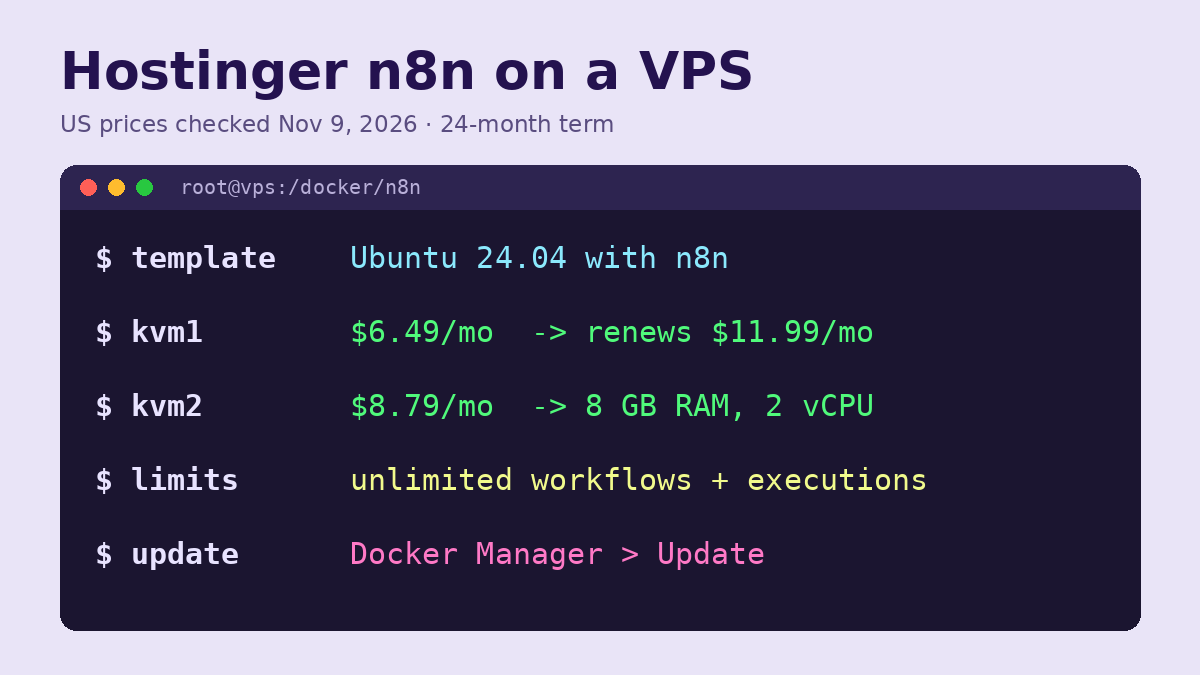
Hostinger n8n is a KVM VPS with n8n preinstalled in Docker through the “Ubuntu 24.04 with n8n” template, and the cheapest plan, KVM 1, costs $6.49 a month on a 24-month term ($155.76 upfront) before renewing at $11.99. Setup takes five steps: choose a plan, install the n8n template, open your n8n address, create the owner account, then add your own domain if you want one. Hostinger’s page lists unlimited workflows and executions on every plan. Prices were checked on November 9, 2026 on Hostinger’s US self-hosted n8n page, and every step below follows Hostinger’s own n8n help articles.
Hostinger n8n pricing
| Plan | CPU / RAM / disk | Intro price, 24 months | Paid upfront | Renewal | 4-year total |
|---|---|---|---|---|---|
| KVM 1 | 1 vCPU / 4 GB / 50 GB NVMe | $6.49/mo | $155.76 | $11.99/mo | $443.52 |
| KVM 2 | 2 vCPU / 8 GB / 100 GB NVMe | $8.79/mo | $210.96 | $14.99/mo | $570.72 |
| KVM 4 | 4 vCPU / 16 GB / 200 GB NVMe | $12.99/mo | $311.76 | $28.99/mo | $1,007.52 |
| KVM 8 | 8 vCPU / 32 GB / 400 GB NVMe | $25.99/mo | $623.76 | $49.99/mo | $1,823.52 |
The 4-year total is the 24-month intro term plus one 24-month renewal, since the page says each plan renews “for the same term”. KVM 1 averages $9.24 a month over four years, and KVM 2 $11.89. The intro prices are part of Hostinger’s current Black Friday sale. Hostinger marks KVM 2 as its most popular n8n plan, and its 8 GB of RAM gives more headroom if you plan to run queue mode with several workers or AI-heavy workflows. Ready-to-use AI models and instant web search for agents are listed as paid add-ons, not part of the plan price.
Black Friday: code BLACKFRIDAY gives an extra 10% off Hostinger plans at checkout, until December 6.
Before you start
- Pick the template version. Hostinger offers “Ubuntu 24.04 with n8n” and “Ubuntu 24.04 with n8n (queue mode)”. Queue mode starts with 3 workers by default, which suits many workflows running at once. For a first setup, the standard template is enough.
- Back up an existing VPS first. Hostinger’s help center says changing or reinstalling the operating system permanently deletes all current data, including snapshots. If the server already holds a site or app, download a backup before you install the n8n template.
- A domain is optional. n8n works on Hostinger’s own server address from the first minute. Your own domain only needs a DNS A record pointing to the VPS IP address.
How to set up n8n on a Hostinger VPS
- Buy or open your VPS. On a new purchase from the self-hosted n8n page, Hostinger lists one-click n8n installation. On a VPS you already have, open VPS in hPanel and click Manage next to the server.
- Install the n8n template. In the sidebar, expand OS & Panel and choose Operating System. Search for n8n, select “Ubuntu 24.04 with n8n” (or the queue-mode version) and click Change OS. n8n is installed in Docker during this step.
- Open n8n. Go to https://n8n.[your-vps-hostname] in your browser, using the hostname shown in your VPS dashboard.
- Create the owner account. The first visit asks for an email, name and password for the admin account. Store the password in a password manager; Hostinger has a separate reset guide if you lose it.
- Build your first workflow. Click New Workflow, add and connect nodes, and click Execute Workflow to test. Add a trigger node such as a schedule or webhook so it runs on its own, then save.
Our Hostinger VPS guide covers what Hostinger manages on a VPS and what stays your job.
How to connect your own domain to n8n
- Add an A record for your domain or subdomain that points to the VPS IP address.
- Open the VPS web console and go to the n8n folder:
cd /docker/[container-name]. - Open
.envand setTRAEFIK_HOSTto your domain, for example sub.domain.tld. - Open
docker-compose.yml. Change the webhook line toWEBHOOK_URL=https://${TRAEFIK_HOST}/and set the Traefik router rule toHost(`${TRAEFIK_HOST}`), as Hostinger’s domain guide shows. - Restart with
docker compose down, thendocker compose up -d.
Wait until DNS has spread before you test the new address. The webhook line matters: webhooks from outside services use that URL, so if it still shows the old hostname, triggers from apps such as forms or payment tools will fail.
How to update n8n on Hostinger
Hostinger documents two ways. Download a backup of your n8n data first.
- Docker Manager: open Docker Manager, find the project that contains the n8n container (it may be named “root”), click the three-dot menu and choose Update. Do not click Update again while it runs, which can take a few minutes.
- SSH: in the web console, run
cd /docker/n8n, thendocker compose pull,docker compose downanddocker compose up -d. n8n is offline between the last two commands.
Warning before you update to n8n 3.0. Hostinger’s preparation guide, published October 27, 2026, says the 3.0 upgrade removes older nodes and permanently upgrades the database, so you cannot go back to 2.x. Take a VPS snapshot, run the Migration Report under Settings, and replace removed nodes first: Function becomes Code, Cron and Interval become Schedule Trigger, and Read PDF becomes Extract from File. Code node runs also time out after one minute instead of five. Hostinger support handles server issues but not workflow errors.
Change settings and scale workers
Environment settings live in /docker/n8n/docker-compose.yml under the environment block; save the file and run docker compose up -d to apply changes. Hostinger recommends keeping passwords and API keys in a .env file and referencing them as ${SECRET_NAME}, so secrets stay out of the main config. On the queue-mode template, change the worker count with docker compose up -d --scale n8n-worker=<number>.
Common problems
- Everything on the server disappeared: the OS change in step 2 erases the VPS. Restore from the backup you downloaded first.
- “The specified package could not be loaded”: a community node failed to load. Hostinger links a troubleshooting guide from its n8n template article, and n8n 3.0 stops loading unverified community nodes.
- Webhooks stopped after a domain change: check that
WEBHOOK_URLuses${TRAEFIK_HOST}and restart the containers.
If you are deciding between n8n and an AI chat assistant on the same server, our Hostinger OpenClaw guide uses the same Docker Manager steps, and the best VPS hosting for beginners list compares Hostinger with other first servers.
FAQ
Does Hostinger n8n limit workflows or executions?
No. Hostinger’s n8n page lists unlimited workflows, unlimited concurrent executions and community nodes on every plan. The practical limit is the server’s CPU and RAM.
Which Hostinger plan is best for n8n?
KVM 1 at $6.49 a month handles a few simple workflows. KVM 2, at $2.30 a month more on the intro term, doubles the CPU and RAM, which matters for queue mode or many runs at once.
Where are the n8n files on a Hostinger VPS?
In /docker/n8n, according to Hostinger’s update guide. If that folder does not exist on your server, use Docker Manager instead.