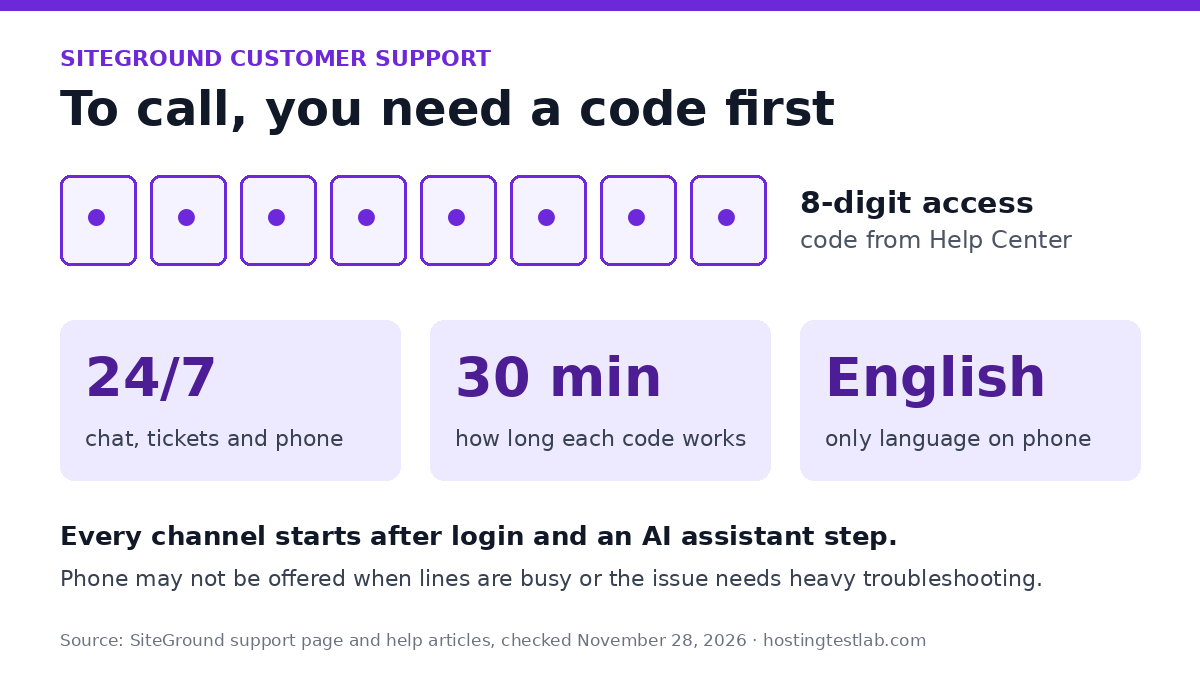
SiteGround customer support is reachable 24/7 by chat, ticket and phone, but only from inside your account: you log in, start with an AI assistant, and SiteGround then offers the channel it thinks fits your request. Phone calls need an 8-digit access code generated in the Help Center, and SiteGround says phone may not be offered when lines are busy or the problem needs heavy troubleshooting. These details were checked on November 28, 2026 on SiteGround’s support page, its Help Center tutorial, its phone support and access code help articles, and its US web hosting page.
| Channel | How to reach it | Limit |
|---|---|---|
| AI assistant | Client Area > ? icon > View Help Center | Always the first step |
| Live chat | Help Center > Contact Us > pick a category | Offered when SiteGround routes you to it |
| Ticket | Same path; history under Support History | You can ask for a supervisor |
| Phone | Same path, then an 8-digit access code | English only; not offered for every request |
How to contact SiteGround customer support step by step
- Log in to the Client Area. SiteGround’s support page says to log in “to access all channels”. There is no public chat for existing customers.
- Click the question mark icon in the top right, then View Help Center. This opens the Instant AI Assistant, which SiteGround says is powered by ChatGPT and trained by its own engineers.
- If the answer does not fix it, open Contact Us and choose the category closest to your problem. You may be sent through the AI assistant again.
- Use the channel SiteGround offers. Its tutorial says it recommends a channel “taking into consideration the current load on our support channels”. Chat opens with an agent; a ticket opens a form.
- Track tickets under Help Center > Support History, and ask for escalation to a supervisor if the reply does not solve the issue.
Locked out of the Client Area? Recover the login first, since every human channel sits behind it.
SiteGround phone support and the access code
This is where most confusion starts. SiteGround does offer phone support for sales, billing and technical questions, and its support page says phone is available 24/7. But you cannot simply call and talk: after the steps above, the Help Center gives you a phone number and an 8-digit temporary access code that you dial after the call connects. SiteGround’s access code article says the code is valid for 30 minutes, so generate it right before you call.
The number on SiteGround’s US site header is +1 877 674 3575, and its tutorial notes that the number shown changes with the country you load the site from. Without the code, the line cannot identify your account.
Two limits are written into SiteGround’s own help article. Phone support is provided only in English. And its AI routing may not offer phone at all “if the type of the issue requires heavy troubleshooting and advanced expertise, or if the phone channel is heavily overloaded with calls”. If you need a phone call for a specific problem, choose the matching category in Contact Us and expect chat or a ticket instead when the queue is full.
What SiteGround claims, and what it does not
SiteGround’s support page lists 98% customer satisfaction over 10+ years and 90%+ of issues resolved at first contact, and its FAQ says most tickets get a reply “within minutes”. These are SiteGround’s own figures, with no published method or average response time. Its 2023 AI assistant announcement claims 96% of the assistant’s replies are correct, also a provider figure.
The practical takeaway is that the claims cover quality once you reach a person, while the friction sits before that: a login, an AI step, and a channel you do not fully choose. That order explains why some customers say they could not reach a human by phone.
Does GoGeek get better support?
SiteGround’s US hosting page lists “Priority support” only on GoGeek; StartUp and GrowBig list the standard 24/7 expert support. Neither page defines what priority means in minutes, and SiteGround’s plan-choice help article calls it “premium support” without detail. At renewal, GoGeek costs $44.99 a month against $29.99 for GrowBig, so priority support comes as part of a $15-a-month step up that also adds Git, private DNS and white-label access. Buying GoGeek for support alone is hard to justify on those facts. Our SiteGround StartUp vs GrowBig comparison covers the two cheaper plans, and the SiteGround renewal price guide shows every plan’s cost after year one.
Who SiteGround support suits
- Choose it if you want a phone option at all: SiteGround lists phone support 24/7 next to chat and tickets. Our Hostinger customer support guide shows how a chat-only host compares.
- Choose it if you are comfortable with chat and tickets, available around the clock, with a written path to a supervisor.
- Look elsewhere if a guaranteed phone call matters to you, or if you need support in a language other than English by phone. Namecheap is a chat-based alternative; I run my own sites on Namecheap and find its online support fast. Our SiteGround alternatives list compares other options.
Verdict
SiteGround customer support is real and available 24/7, but every channel starts with a login and an AI assistant, and phone calls depend on an access code and on SiteGround offering the phone channel for your request. Log in, open the Help Center, pick the exact category, and generate the code just before you call. Our SiteGround review covers the plans behind the support.
FAQ
Can I contact SiteGround support without an account?
Not for an existing site. SiteGround’s support page tells customers to log in to reach all channels, and the phone access code can only be generated inside the Help Center, so help with a site you host there starts with a login.
How long is the SiteGround phone access code valid?
30 minutes. SiteGround’s help article says a new 8-digit code should be generated before each call, so an old code from an earlier session will not work.
Does SiteGround offer a refund if support does not help?
SiteGround’s hosting page lists a 30-day money-back guarantee, so a new customer unhappy with support in the first month can cancel and ask for a refund.