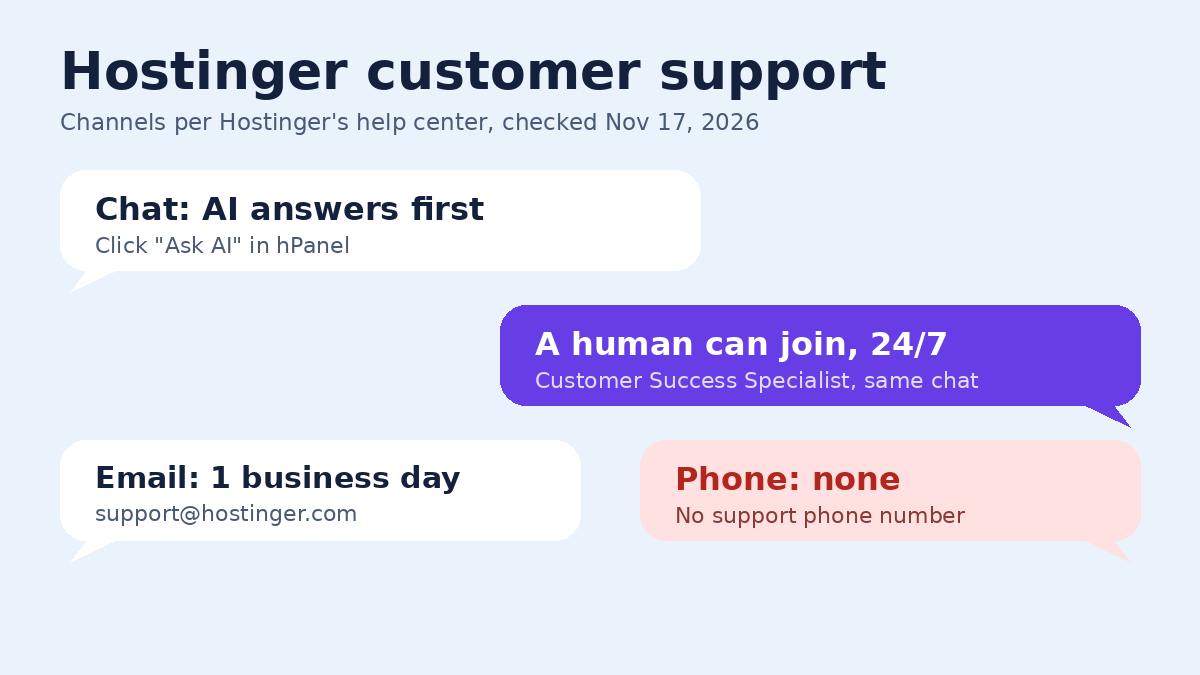
Hostinger customer support starts with an AI assistant, Hostinger Agent, but a human Customer Success Specialist can join the same chat, and Hostinger says specialists are available 24/7. There is no phone number: Hostinger’s help center states it “doesn’t offer phone support or a customer service phone number”. The three real routes are chat in your Hostinger dashboard, WhatsApp, and email to support@hostinger.com, which Hostinger promises to answer within 1 business day. These details were checked on November 17, 2026 in Hostinger’s help center articles on contacting support, phone support and support languages, its customer service policy and its US web hosting page.
| Channel | How to open it | Who answers first | Stated response time |
|---|---|---|---|
| Dashboard chat | Log in, click Ask AI at the top of any page | Hostinger Agent (AI), then a specialist if needed | “As soon as possible” |
| WhatsApp tab inside the Hostinger Agent chat | Same conversation, moved to WhatsApp | Not stated | |
| support@hostinger.com | Support team | Within 1 business day | |
| Phone | Not available | – | – |
How to contact Hostinger customer support step by step
- Log in to hPanel. The dashboard chat is the fastest route, and it knows which products are on your account.
- Click Ask AI at the top of any dashboard page. You start with Hostinger Agent, which replaced the earlier assistant, Kodee.
- Describe the problem in one message, with the domain name and any exact error text. Hostinger’s guide asks for error messages because the AI uses them to search for a fix.
- Ask for a specialist if the answer does not solve it. Hostinger’s article says that if the AI cannot resolve the issue, “a Customer Success Specialist can join the chat”. The human joins the same conversation, so you do not need to start again.
- Move to WhatsApp if you need to leave your desk. The WhatsApp tab in the chat widget continues the same conversation on your phone.
If you start on Hostinger’s public website instead, ask about your existing product there and click Continue in hPanel; Hostinger says the chat history carries over. The same assistant is also built into the WordPress admin on Hostinger sites.
Why Hostinger customer support feels AI-only
Many complaints about Hostinger support say the chat never reaches a person. The reason is the order of the queue: every chat starts with the AI, and a human only joins when the AI cannot fix the problem. That works for simple jobs, such as finding a DNS setting, but it adds a step for anything unusual, like a billing dispute or a hacked site.
Hostinger publishes no time limit for the handover. Its customer service policy, last revised in May 2023, says only that live chat will reply “as soon as possible”. The one firm commitment is for email: a reply within 1 business day. In TechRadar’s support test, published April 23, 2025, chat began with a bot that suggested fixes first, email replies arrived in 4 to 5 minutes, and one ticket was answered in 17 minutes. That is a single publication’s test from 2025, not a current guarantee.
Is there a Hostinger customer support phone number?
No. Hostinger’s help center states plainly that it does not offer phone support or a customer service phone number. Any phone number presented as “Hostinger support” on a third-party site is not listed by Hostinger, so do not share account details with it. If phone support matters to you, our Hostinger vs HostGator comparison shows which HostGator plans listed a phone line when it was checked. SiteGround lists 24/7 phone support, and our guide to reaching SiteGround support explains how its calls work.
Does priority support get you a human faster?
Hostinger’s US web hosting page lists “Priority 24/7 expert support” on Premium, Unlimited and Cloud Startup. The page does not say what priority means in minutes, and the contact-support article does not describe separate queues. Treat priority support as a provider claim without a published time target. Our Hostinger review covers what else each plan includes.
Language and safety rules
- Language: Hostinger Agent can reply in nearly any language. Human specialists answer in English and use automated translation for other languages, so for a technical problem, writing in clear English avoids translation errors.
- What not to paste: Hostinger’s customer service policy prohibits sharing passwords, full card details or copies of ID documents in live chat, and says you do so at your own risk.
- Locked out of your account: the dashboard chat needs a login. Hostinger points logged-out users to its contact page or its account recovery guide.
Who should and should not choose Hostinger for support
- Choose it if you are comfortable with chat, work odd hours and mostly need quick how-to answers. Specialists are listed as available 24/7, and email has a 1-business-day promise.
- Look elsewhere if you need to talk to someone by phone, or if you want a published response-time guarantee for chat. Namecheap is another chat-based option; our Namecheap hosting review covers it, and I find its online support fast on my own sites.
Verdict
Hostinger customer support is reachable by a human, but only through chat after the AI, by WhatsApp, or by email within 1 business day. There is no phone line. Log in, click Ask AI, give the error in one message and ask for a specialist if the first answer misses.
FAQ
How do I contact live support at Hostinger without logging in?
The dashboard chat needs a login. Without one, Hostinger directs you to its contact page or to email at support@hostinger.com.
Can Hostinger support refund my plan?
Hostinger’s plans page lists a 30-day money-back guarantee. Our Hostinger refund policy guide explains which purchases qualify and how to ask for one.
Is Hostinger support available on weekends?
Yes. Hostinger says Customer Success Specialists can be reached 24/7, and its plans list 24/7 support. Email replies are promised within 1 business day, so weekend emails may wait for a working day.